ConsentGuard by Relevance Lab
Enterprise cookie consent management, from first scan to proof of consent
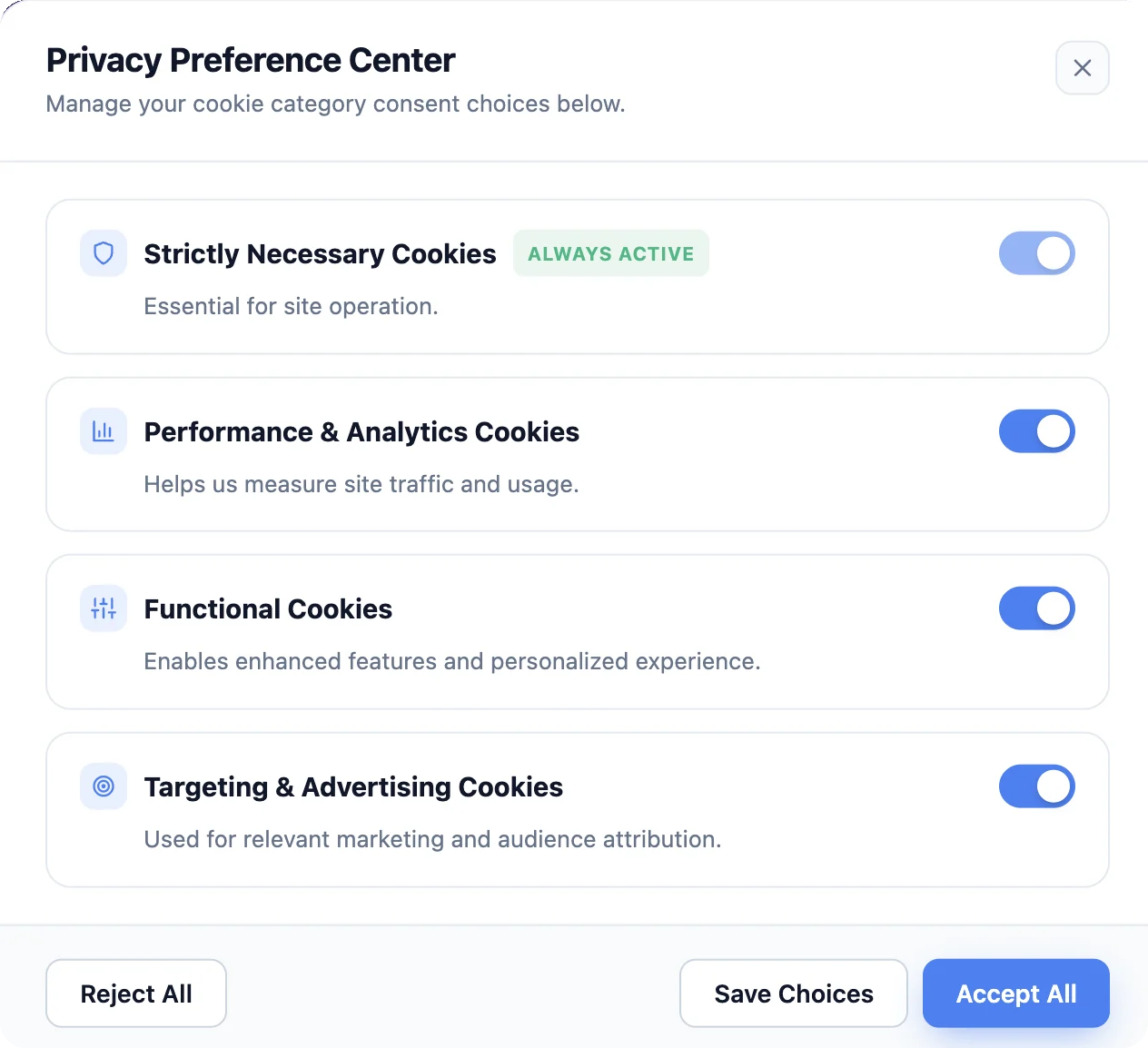
Scan your websites for cookies and show each visitor the consent banner for their region, with nine regional frameworks built in. Where regional settings require it, known tracking scripts are held until the visitor agrees.
- 9
- Regional privacy frameworks, preconfigured
- 4
- Banner layouts to choose from
- 4
- Standard cookie categories
- 1
- Line of script to install
Know which cookies your websites set
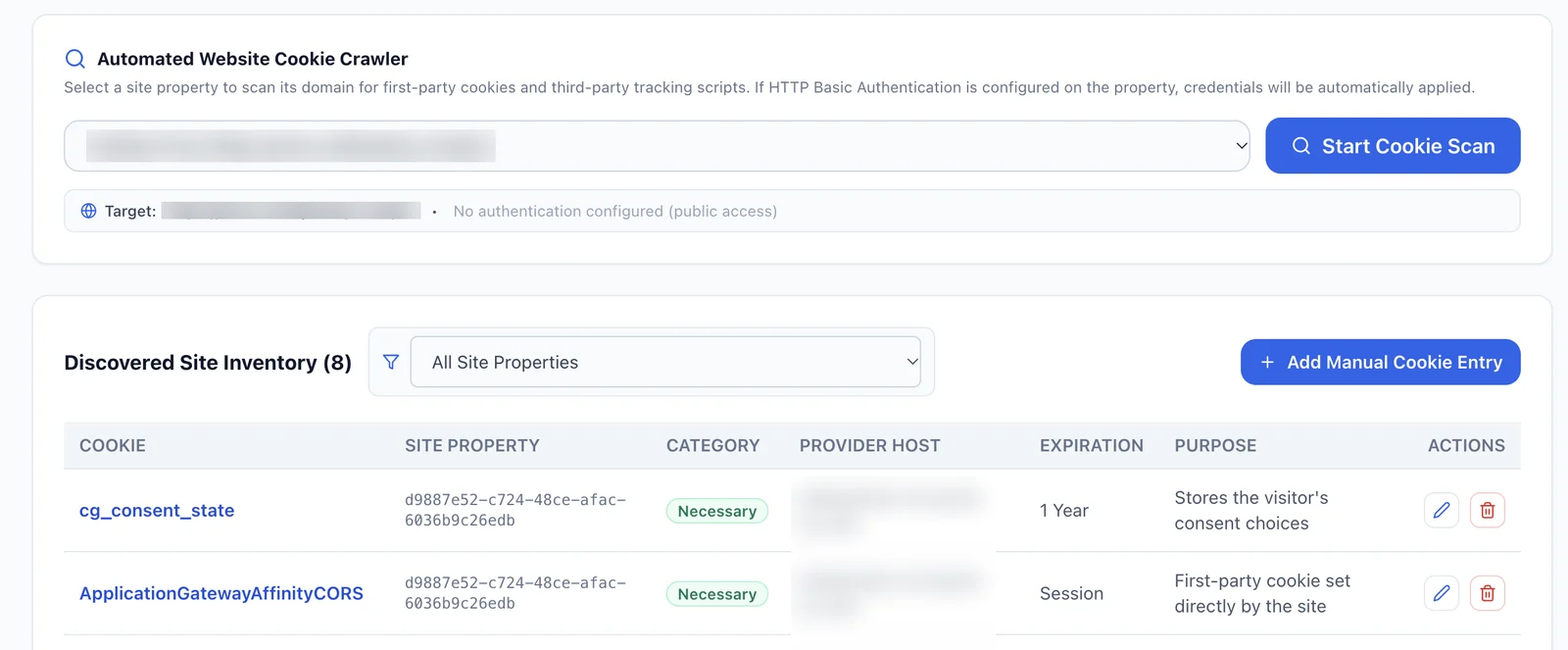
Each scan reads the cookies your server sets and checks the page code for third-party trackers and pixels. Review what it finds, then keep one categorized inventory your teams can manage.
- Scans before and after launch Scan live websites, and staging websites that sit behind a username and password (HTTP Basic Authentication). The staging login can be saved for later scans.
- Review before anything is saved Check the cookies each scan detects, adjust their details, and add the ones you choose in one click. Cookies already in your inventory are flagged, so nothing is entered twice.
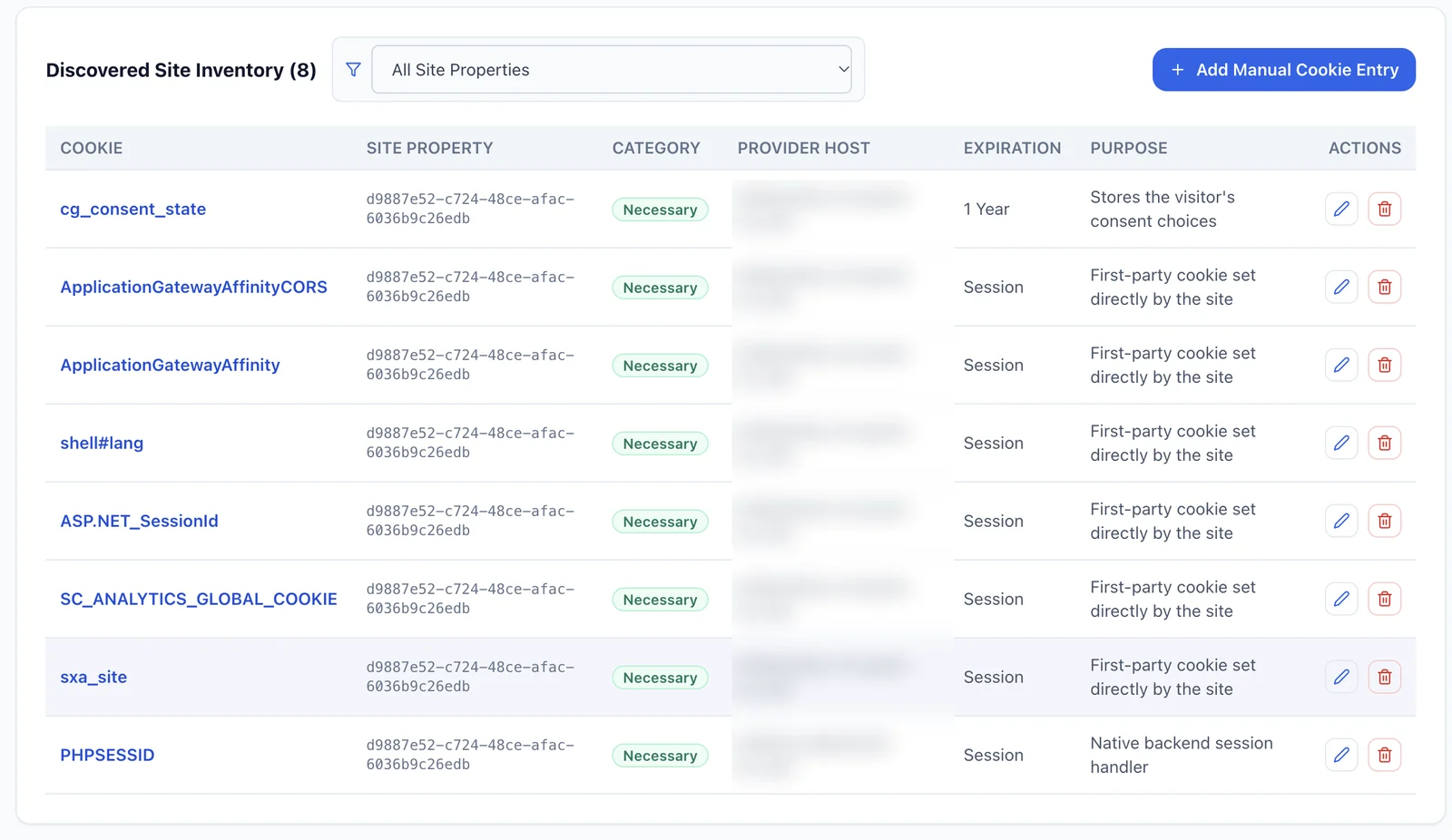
- Four standard categories Each scan suggests a category for every cookie: strictly necessary, performance and analytics, functional, or targeting. Your team can change it.
- Details for each cookie Record the cookie’s name, host or third-party domain, expiration period, and legal processing purpose. Cookies can also be added or edited by hand.
- Search and sync Find cookies by name, category, or website. The active inventory syncs with the preference center on your website, so visitors see current cookie information.
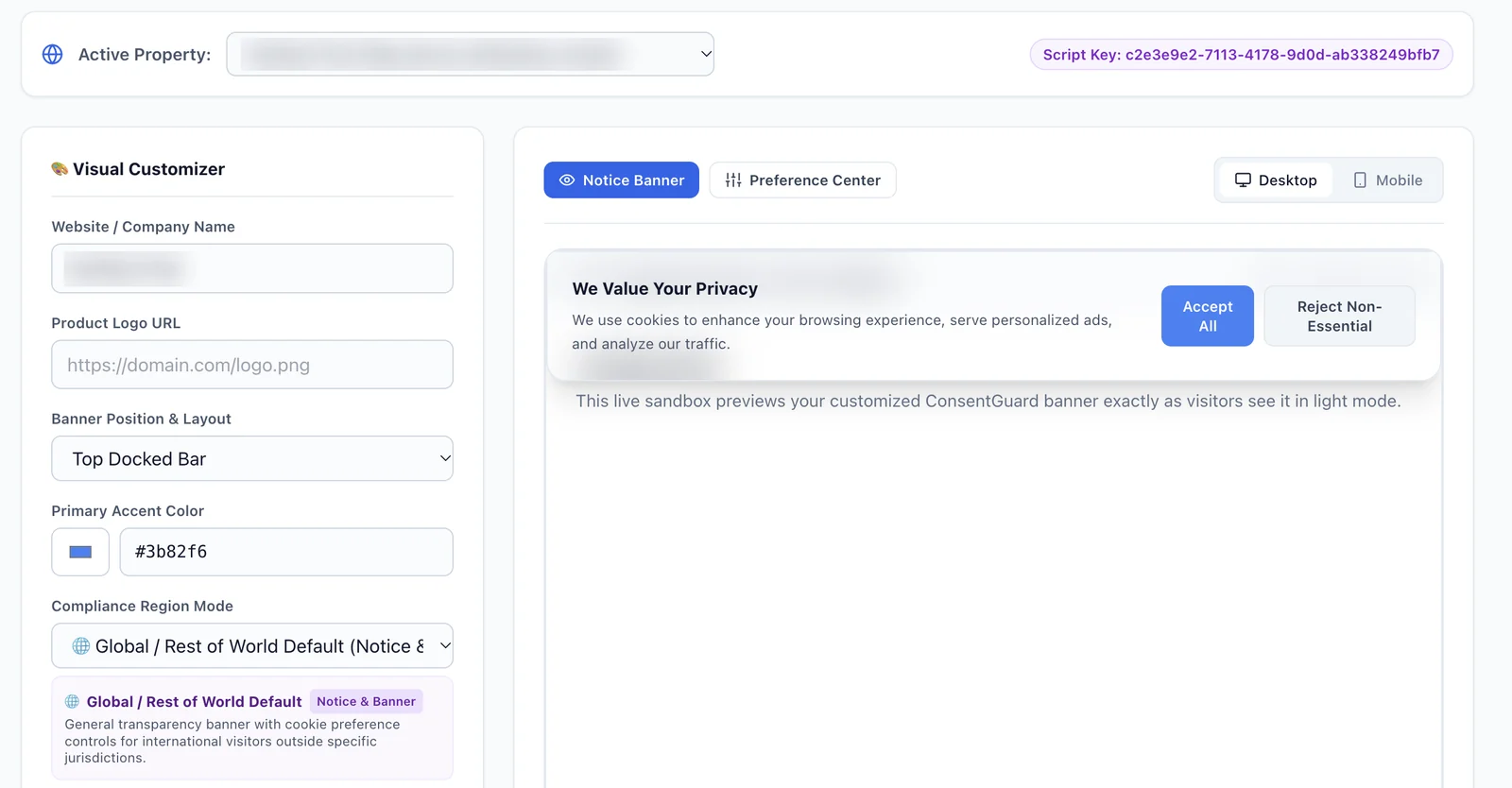

Consent settings for each region
ConsentGuard uses visitor timezone and IP signals to apply regional banner text and script blocking rules. Nine preconfigured frameworks are included, and administrators can restore the standard settings in one click.
- Opt-in regions
- Non-essential cookies stay off until the visitor agrees. EU GDPR / ePrivacy, UK GDPR / PECR, Brazil LGPD, Quebec Law 25 / PIPEDA
- Opt-out regions
- Visitors get a clear notice and a way to opt out. California CCPA / CPRA, US multi-state privacy laws (Virginia, Colorado, Connecticut, Utah, Texas)
- Notice regions
- Visitors see a transparency banner with cookie preference controls. Australia Privacy Act, Japan APPI, and a global baseline for everywhere else
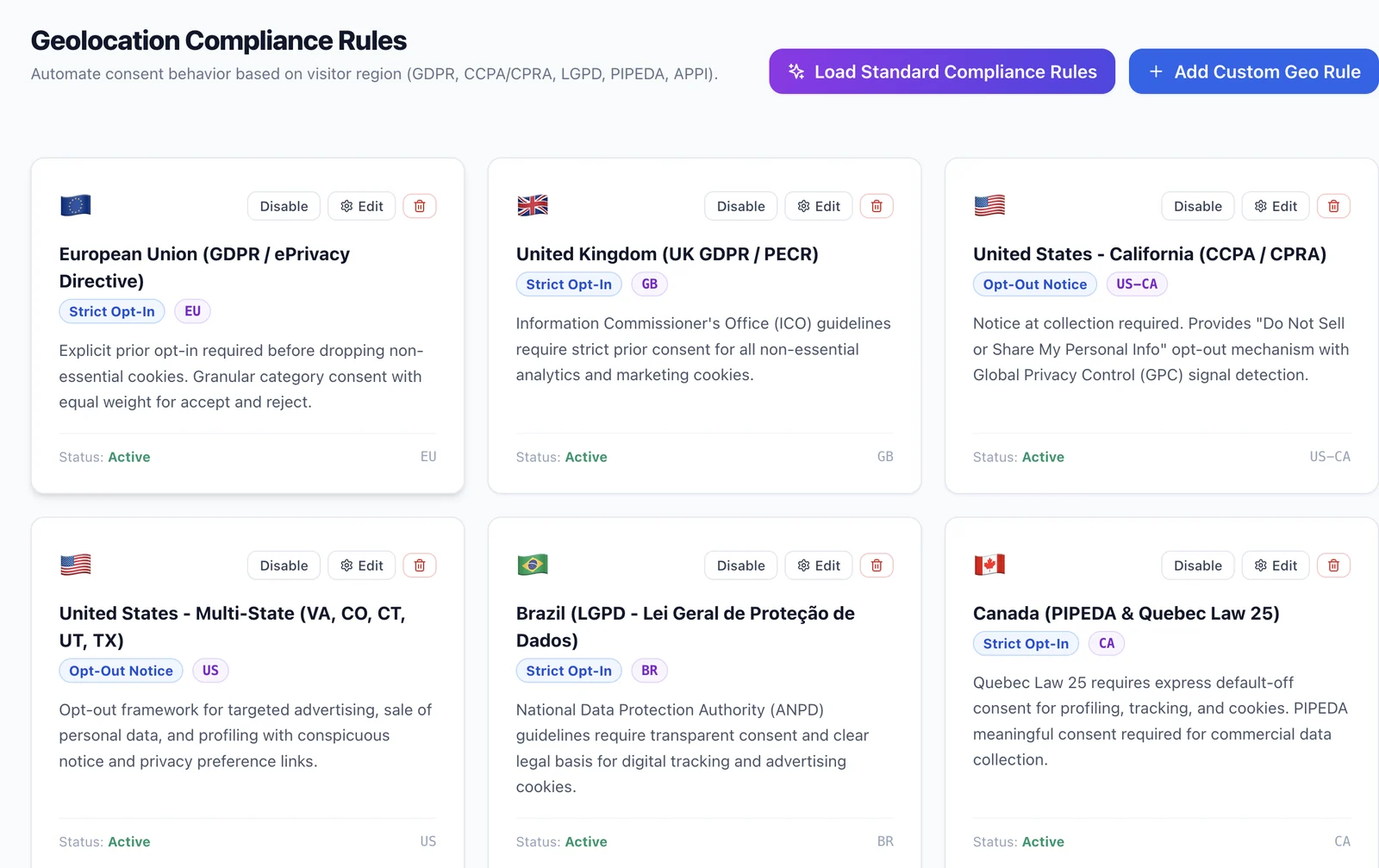
Proof of consent, ready for audit
See how visitors respond to your consent banner, and keep immutable, timestamped records you can use for internal reviews and audits.
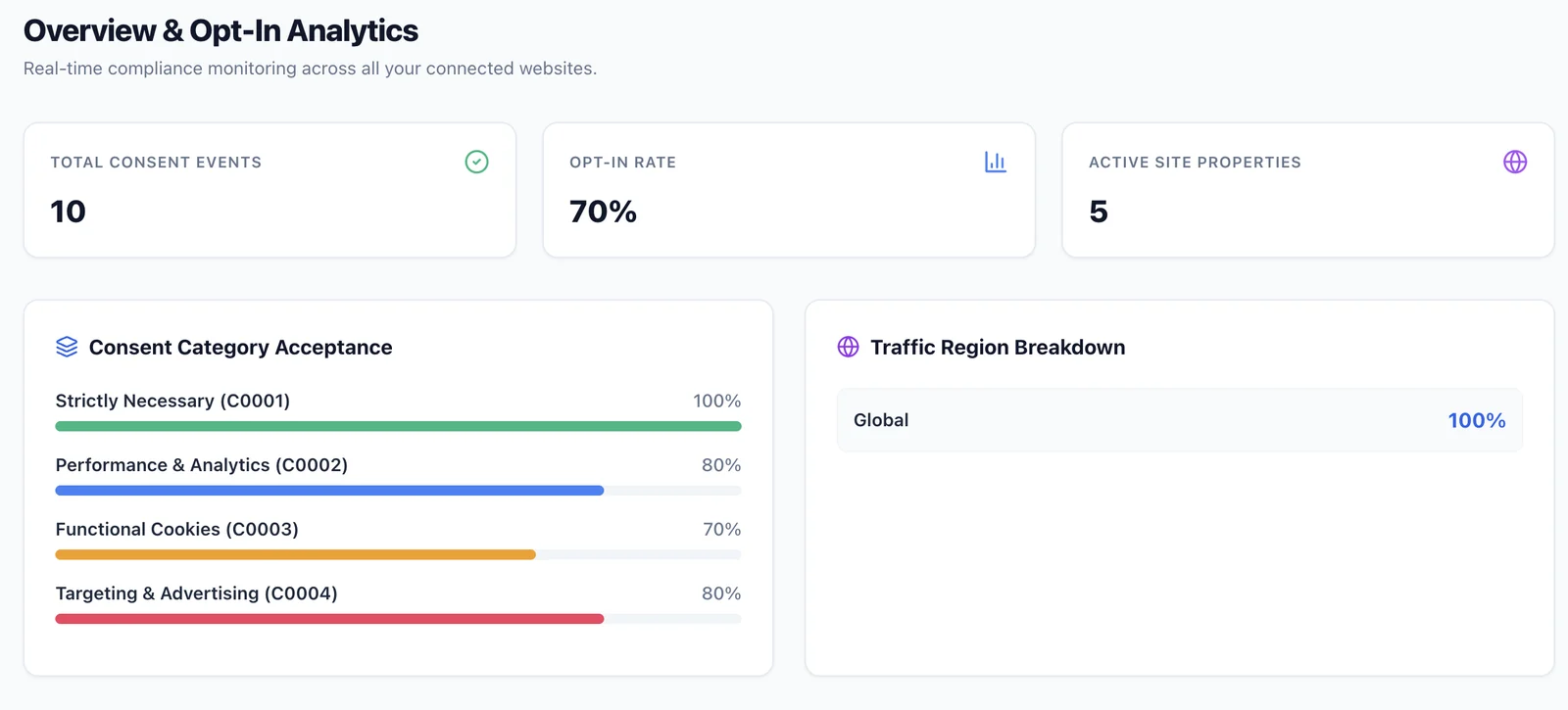
- Live consent metrics View consent volumes, overall opt-in rate, active websites, compliance score, and acceptance by cookie category. Figures update as visitors interact with banners.
- Filters for website and region Filter analytics by website and see how consent activity is spread across regions.
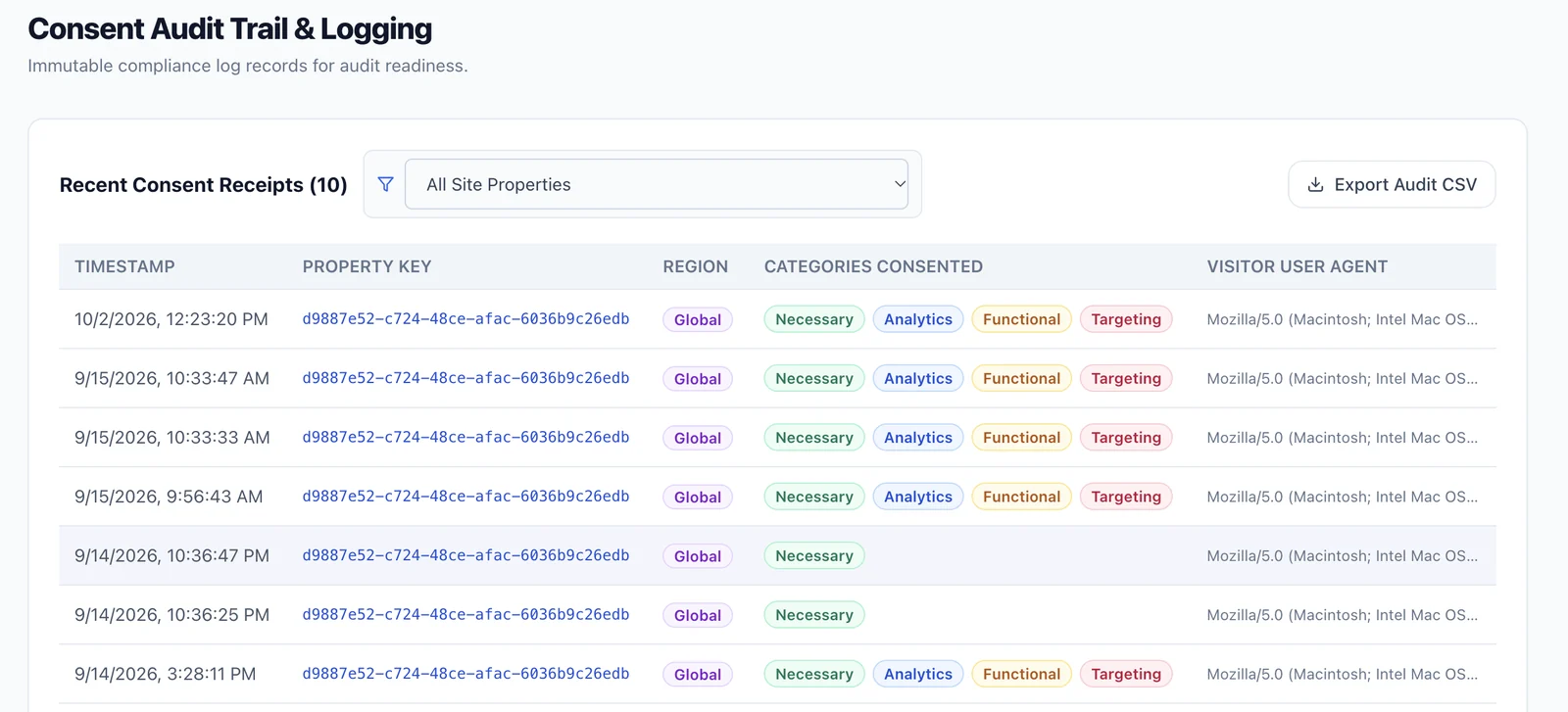
- A record of each consent event Each record holds the timestamp, website identifier, visitor country or region, category choices, and user agent.
- Privacy-preserving consent records ConsentGuard maintains anonymous consent records without storing personally identifiable information.
- Search and export Filter records by website, date range, or jurisdiction, then export structured logs for legal audits. The records support proof-of-consent documentation and accountability reviews.
Security and architecture
Protect administrative access and connect consent controls with your website architecture.
- Admin access
- A dedicated login page protects the dashboard. Edge middleware intercepts unauthenticated traffic to dashboard routes and redirects it to the login.
- Sessions
- HttpOnly session cookies use SameSite=Lax and a 24-hour lifetime. Signing out ends the session and destroys the cookie.
- APIs
- Public endpoints support website configuration and consent logging. Management APIs require authenticated access.
Technical details
- Script blocking
-
A MutationObserver watches the page for newly
injected script tags. Matching scripts are
switched to
text/plain, held in an in-memory queue, and released in their original DOM order after consent. - Consent categories
-
C0001Strictly Necessary,C0002Performance and Analytics,C0003Functional,C0004Targeting. - Consent Mode v2 mapping
-
C0004maps toad_storage,ad_user_data, andad_personalization.C0002maps toanalytics_storage.C0003maps tofunctionality_storage. - Consent storage
-
The consent cookie holds a comma-delimited
alphanumeric list of category codes.
Detailed metadata stays in the browser’s
localStorage. - Embedded SDK
- Runs in a closed Shadow DOM on the host website.