

Every year the same thing happens. Budget season arrives, finance asks for next year’s cloud forecast, and engineering extrapolates from a bill that is padded with idle resources, oversized instances and spend no one can explain. The result is a 2027 budget built on 2026’s waste.
The fix is to optimize first and forecast second. The next few weeks are the best window to do it: usage is still visible, commitment renewals are approaching, and savings you lock in now carry straight into next year’s baseline.
Here are 10 quick wins you can start before the year closes, across AWS, Azure and Google Cloud.
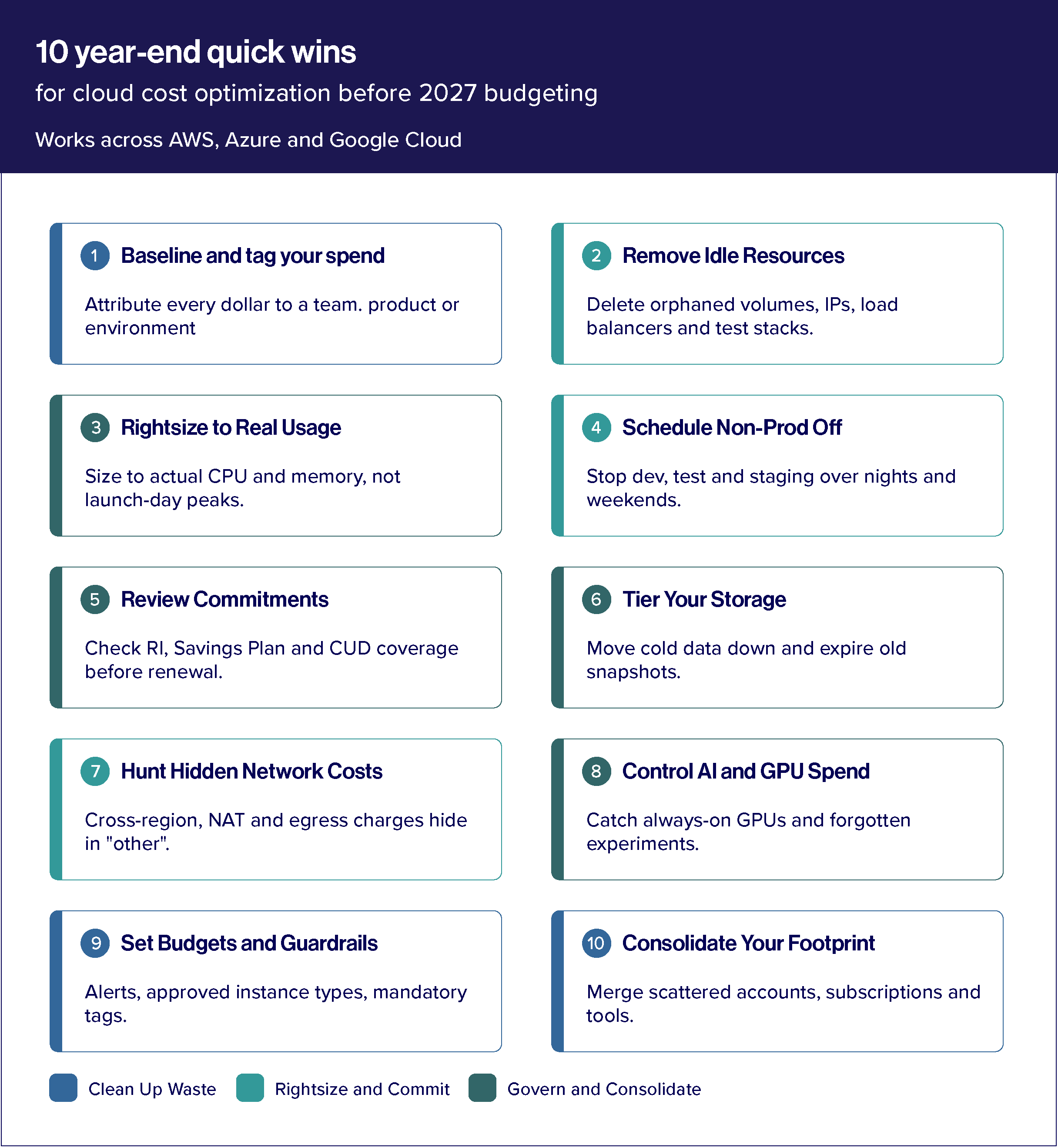
1. Baseline your spend and fix tagging gaps
You can’t cut what you can’t attribute. Pull the last 90 days of spend and see how much is untagged or unallocated to a team, product or environment. Close those gaps first, because every other win depends on knowing who owns what. If your billing data still lives in separate consoles, this is the moment to consolidate it. A single view of spend is the foundation of cloud cost management, and it turns the rest of this list from guesswork into a prioritized backlog.
2. Remove idle and orphaned resources
Unattached volumes, unused load balancers, stale IP addresses, forgotten test environments and zero-traffic instances quietly bill every month. A one-time sweep typically finds the easiest savings in your estate, since deleting an unused resource carries almost no performance risk.
3. Rightsize against real usage, not peak estimates
Many workloads were sized for a launch-day peak that never came. Compare actual CPU, memory and network utilization with provisioned capacity, then step oversized instances and databases down a size or two. Rightsizing and automated scaling tuned to real demand is one of the highest-impact levers in any cloud cost optimization program.
4. Schedule non-production environments off
Dev, test and staging environments rarely need to run nights and weekends. Automated start/stop schedules can cut non-production compute hours dramatically without anyone noticing. This is one of the quickest wins to implement and usually needs no architecture changes.
5. Review commitments before they renew
Year-end is when many Reserved Instances, Savings Plans and committed use discounts come up for renewal. Check coverage and utilization before you re-buy. Under-covered steady-state workloads are leaving discounts on the table, and over-committed ones are paying for capacity you don’t use. Match commitment levels to the workloads you actually expect to run in 2027, not the ones you ran in 2024.
6. Tier storage and set lifecycle policies
Storage tends to grow quietly and never shrink. Move infrequently accessed data to cooler tiers, set lifecycle rules to archive or expire old objects, and clear out old snapshots and backups that no policy requires you to keep. Storage tiering is a core part of the cloud cost optimization services Relevance Lab delivers across all three major clouds.
7. Look for hidden data transfer and network costs
Cross-region traffic, NAT gateway charges and egress fees often hide in “other” line items. Review your top network cost drivers and ask whether workloads and the data they depend on can sit closer together.
8. Bring AI and GPU workloads under control
GPU instances and inference endpoints are among the fastest-growing and least-optimized parts of the cloud bill. Look for always-on GPU capacity, oversized instances for light inference, and experiments that never got shut down. For teams running GenAI at scale, pairing cost optimization with automated monitoring and remediation, such as RLCatalyst, helps keep this spend in check as usage grows.
9. Set budgets, alerts and guardrails
Savings don’t last without governance. Set budget thresholds by team and product, enable anomaly alerts, and put guardrails in place, such as approved instance types, mandatory tags and automatic expiry on sandbox resources. Cloud cost governance is what keeps this year’s cleanup from becoming next year’s cleanup.
10. Consolidate accounts, subscriptions and tools
Scattered accounts, duplicate subscriptions and overlapping tools mean duplicated overhead and weaker negotiating leverage. Merging them into a leaner footprint simplifies governance and strengthens your position on commitments and vendor terms. See how cloud consolidation supports a better-negotiated footprint.
Turn Quick Wins into a Better 2027 Budget
Once you’ve worked through the list, rebuild your forecast from the optimized baseline, not last quarter’s bill. Three habits help it hold:
- Forecast from the new run rate- Use post-cleanup spend as the starting point, then layer in planned growth and new AI initiatives.
- Assign ownership- Every team and product should see its own cost and its own budget.
- Make it continuous- One-time audits fade. Treating optimization as an ongoing practice is what makes cloud spend a managed, shrinking line item. Relevance Lab’s automation-first approach to cloud management is built around automating the monitoring and remediation that keep savings from creeping back.
Ready to Start 2027 with a Leaner Cloud Bill?
Relevance Lab helps enterprises reduce cloud costs without slowing engineering down, across AWS, Azure, Google Cloud and AI/GPU workloads. Book a discovery session and get a cloud cost optimization assessment tailored to your environment.
Frequently asked questions
What’s the fastest way to reduce cloud costs before year-end?
Start with idle resource cleanup, non-production scheduling and rightsizing. They’re low-risk and need little engineering effort.
What’s the difference between cloud cost management and cloud cost optimization?
Cost management gives you visibility, allocation and forecasting. Cost optimization is the tactical work of reducing the bill: rightsizing, reserved capacity and storage tiering. You need both.
Should I renew Savings Plans and Reserved Instances as-is?
Not automatically. Review utilization and coverage first, and size commitments to your expected 2027 workloads.